
Energy-efficient wall convector with timer program: how to choose in 2026
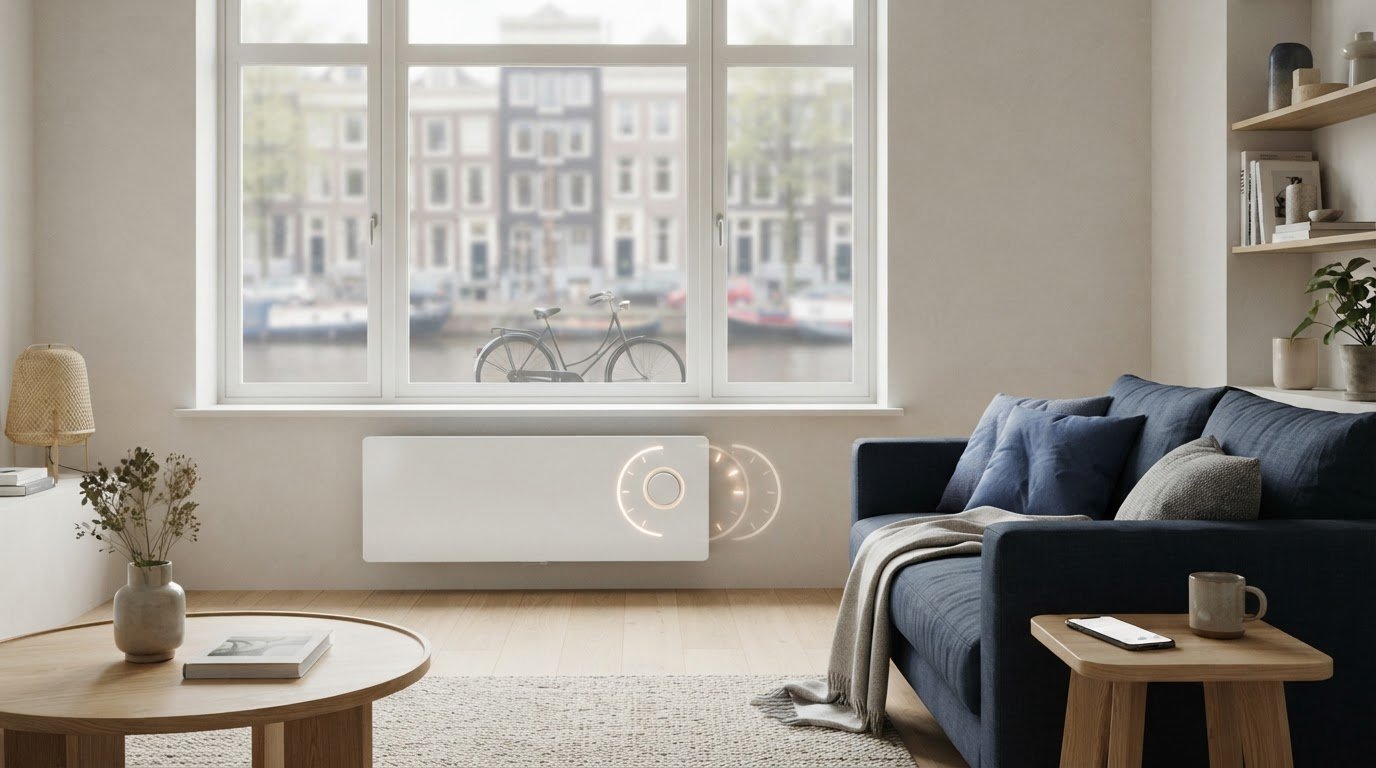
An energy-efficient wall convector with a schedule can help tailor heating to when you use a room. However, this does not automatically prevent unnecessary consumption: the result also depends on the insulation, the set temperature, and how well the schedule fits your routine. Therefore, compare not only the output and appearance, but also check which times and temperatures you can set.
Do you want to choose different heating times per day, or is simple operation on the device sufficient? And when is app control useful? In this article, you will learn how a schedule works and how to compare timers, thermostats, apps, and Wi-Fi. You will also discover what to look for regarding the room and usage, and how to create a practical schedule. Always check the product information for the specific model, as features may vary by version.
Key Points
- A schedule program sets heating times. That is different from temperature control by a thermostat.
- An energy-efficient wall convector with a timer program is particularly suitable for fixed usage times, but a schedule does not guarantee lower energy costs.
- Compare timers, thermostats, app control, and Wi-Fi based on the features you need. The capabilities vary by model.
- Before making your choice, map out the space, the desired temperature, your usage times, and the existing heating system.
- See which smart convector suits your needs and check the product information to see how programming and operation work.
What does an energy-efficient wall convector with a timer program offer?
A wall convector heats air past a heating element. The warm air rises and spreads throughout the room. The operation of a convector heater is therefore based on natural airflow. A timer program adds a schedule: you set in advance when the heating should be active according to the schedule.
Definition: A timer program is an adjustable schedule with heating times at pre-selected times. Depending on the device, you can also link different temperature settings to time slots.
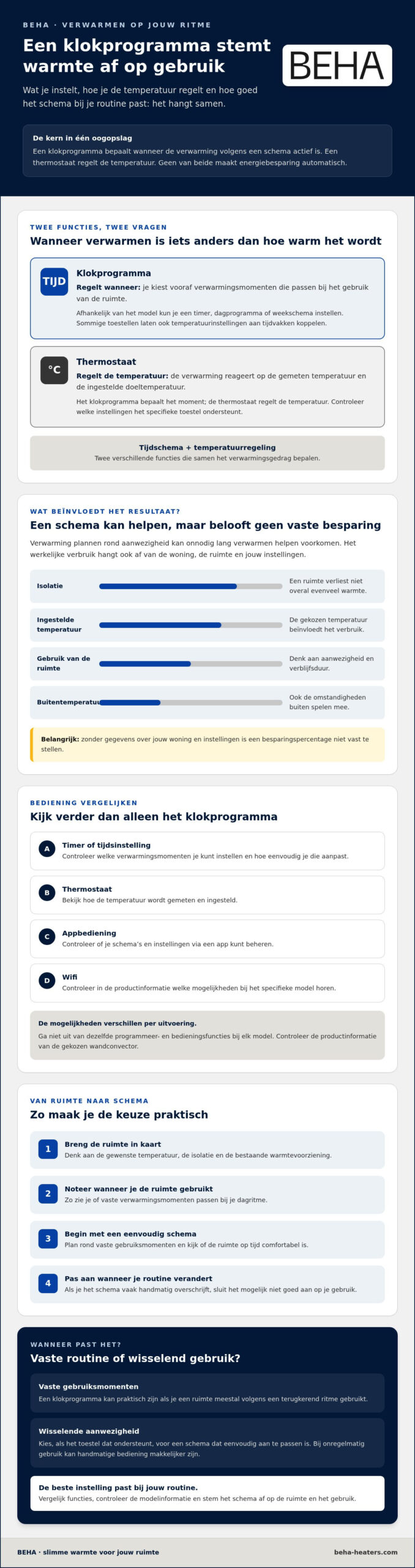
A thermostat has a different function. It regulates the heating based on the measured temperature and the set target temperature. The schedule determines when the heating operates according to a schedule; the thermostat regulates the temperature. Additionally, your energy consumption depends on factors such as insulation, the chosen temperature, and the duration and frequency of heating. Therefore, a schedule in itself does not guarantee fixed savings.
What exactly does a clock program regulate?
With a schedule program, you can plan heating times around room usage, for example at the start of a workday. Some devices offer a simple timer or time setting. Others support more extensive daily or weekly schedules. It also varies by model whether you set time slots and temperatures on the device, via an app, or both.
Therefore, check the product information of the chosen BEHAmodel before purchasing. Specifically look for whether it supports daily or weekly schedules and which settings you can adjust. Do not assume that every model has the same programming capabilities.
For whom is heating at fixed times suitable?
A fixed schedule is practical if you come home at predictable times or usually use a room according to a recurring rhythm. You can set comfort times in advance and then do not have to manually operate the heating every time. However, do align the schedule with your actual usage. Heating a room while it is empty may not suit your purpose.
Does your presence change regularly, for example due to varying workdays or spontaneous use of a hobby room? Then, if the device offers this option, choose a schedule that you can easily adjust. For irregular use, manual operation may actually be easier. The best setting is the one that suits your routine and that you can easily update when changes occur.
How does a schedule affect comfort and energy consumption?
A timer program can adjust the heating to the times when you use a room. If the room is empty during the day, you do not necessarily have to maintain the same comfort temperature all day long. Scheduling heating times around your presence can help prevent heating for unnecessarily long periods. This can limit consumption, but a schedule does not guarantee lower energy costs.
A suitable schedule adjusts heating based on occupancy. Energy consumption also depends on insulation, the outside temperature, room usage, and the set temperature. A room that loses a lot of heat requires a different setting than a well-insulated room. Furthermore, a room used briefly may require a different schedule than a room where you spend hours.
Aligning comfort schedules with your daily rhythm
First, note when you use the room and at what times a comfortable temperature is important. Consider, for example, a home office that you use mainly during the day or a hobby room where you spend varying evenings. Start with a simple schedule around the fixed times of use. Then, check whether the room is comfortable on time and adjust the settings if necessary.
There is no universal schedule. Housemates' preferences, room usage, and home characteristics vary. Therefore, set the schedule per room, if the device offers that option. This prevents a single setting for the entire household from proving impractical.
When might programming yield benefits?
If a room is unused for an extended period, limiting heating during that time can reduce energy consumption. However, the magnitude of this effect cannot be determined without measurements and reliable data regarding the home and settings. Therefore, do not rely on a fixed savings percentage that does not take your specific situation into account.
Also pay attention to how often you manually override the schedule. Occasional adjustment is logical, but if you change the set times daily, the program may not align with your routine. Adjust the schedule to your recurring usage and use manual control for exceptions. Check the product information on BEHAconvectors to see which control options the selected model has.
Which features do you compare besides the clock program?
A schedule program, thermostat, app, and Wi-Fi are different functions. Compare them based on what you can set and how you want to control the heating. The combination varies by unit, so check the product information for the specific BEHAmodel. Also, check if the capacity suits the room, taking into account size, insulation, and desired temperature. If you are unsure about the required capacity, have the sizing checked.
Schedule, thermostat, and app: what is the difference?
Programming sets heating times; a thermostat regulates the temperature. App control is a way to view or adjust settings, but does not automatically mean that the device has a schedule. Wi-Fi enables wireless connection, but does not in itself indicate which functions are available.
Use this comparison as a checklist. Features and operation vary by model.
| Function | What is that for? | What do you check? |
|---|---|---|
| Timer | Temporarily set a heating time. | Which times and duration can you choose? |
| Thermostat | Control the temperature based on a setting. | How do you set the desired temperature? |
| App control | Control settings via an app. | Can you only adjust manually or also program? |
| Wi-Fi | Connect the device wirelessly. | Which functions work via the connection? |
Do you want to compare remote control or settings via an app? Then read the guide on an electric convector with Wi-Fi. Check in it and for the chosen model which functions are actually available together. This way, you choose an energy-efficient wall convector with a timer program based on the control you need, not just on a function name.
Which version suits your interior?
BEHA offers smart convectors with a steel, glass, or paintable front. Choose a version that suits your interior and consider where the unit will be installed. Compare the dimensions and installation options in the product information. The material of the front does not, in itself, indicate anything about the heating performance. If appearance is a factor in your choice, also consult the buying guide for an electric heater with a steel front.
Make the comparison concrete: note the available space, check the capacity, and determine whether you need a timer, temperature control, app control, or Wi-Fi. This way, you compare models based on both the space and your daily heating habits.
How do you choose and use the right wall convector?
Don't start your choice with a list of features, but with the room and your heating method. Use this step-by-step plan to compare power, operation, and placement in a targeted manner. This way, you avoid choosing a device whose capacity or program does not match your usage.
- Map out the room. Note the dimensions, insulation, window surface area, and the location where the convector can be mounted. Also check whether the room is prone to drafts or cools down quickly.
- Describe your heating routine. Write down when you use the room, at what times comfort is important, and what temperature you find pleasant. Also note the existing heating system. This will clarify whether the wall convector is supplementary heating or will play a different role.
- Assess the required capacity. Consult the manufacturer's specifications for the chosen model and room. The required capacity depends on factors such as dimensions and insulation, so do not rely on a single general rule of thumb. If in doubt, have the suitability assessed based on the characteristics of your room.
- Check features by model. Find out in the product specifications whether the device has a timer or clock program, how the thermostat works, and whether programming is possible on the device, via an app, or both. Check if the program suits your usage times.
- Review placement and installation conditions. Check the dimensions, installation instructions, and any conditions regarding placement and electrical connection. Follow the manufacturer's manual. BEHA sells convectors but does not offer installation services. Therefore, do not assume that installation is included with the purchase.
Start with the room and your heating routine
A home office that is used daily requires different settings than a guest room that only needs to be heated occasionally. Also take the existing heating system into account. A wall convector can support a room, but the desired role must match the capacity of the unit. Use the product specifications as a starting point and, if in doubt, ask an expert to assess the room and the required capacity.
Set up the program practically
Follow the manual for the chosen model to set times and any temperatures. Start with the comfort moments you have noted. After a few days, check if the room is comfortable at the desired times. Then, adjust one setting at a time and note the change. This will help you better see which adjustment fits your routine.
Compare your options using these steps and view the wall convectors BEHA to compare the versions and model specifications with your preferences.
When is a BEHAwall convector with a timer program right for you?
A BEHAwall convector might be a good fit if you are looking for electric heating for a specific room and want controls that fit your routine. The range includes smart convectors with steel, glass, or paintable fronts, as well as classic convectors. Which version and functions are suitable depends on the room and what you expect from the appliance. Therefore, choose an energy-efficient wall convector with a timer program not only based on appearance, but especially on the settings that the specific model actually offers.
BEHA has over 100 years of experience with electric heating. That experience is background information about the manufacturer, not proof of specific energy savings. Also, do not assume without verification that every model has a timer or weekly schedule.
What BEHA does and does not offer you
The smart convectors are available with various front finishes. BEHA lists Wi-Fi and app control for smart convectors, but the exact functions and operation may vary by model. Check the current product information to see if the selected unit supports a timer program, how to set it up, and whether the app plays a role in this. Also check which thermostat functions are available.
BEHA sells electric heaters but does not offer installation services. Before purchasing, check which mounting and connection requirements the manufacturer specifies for the model and determine what assistance you might need.
Your final check before purchase
Compare the product specifications with your requirements. Check not only whether a timer or schedule is mentioned, but also which times and temperatures you can set. Additionally, review the thermostat controls, app functions, power rating, and installation requirements. A function name alone does not always explain how to operate the device in practice.
- Does the capacity match the space according to the product specifications?
- Does the model support the daily or weekly schedule you are looking for?
- Can you operate the settings in a way that fits your routine?
- Are the installation and connection conditions clear?
If the features match your heating routine and the design is suitable for the room, you have a concrete basis to choose from. View 's electric heating solutions BEHA and check the available controls and programming for each model.
Choose a schedule that suits your space
A schedule is particularly useful if the heating times align with room usage. The thermostat regulates the temperature; the schedule determines when the heating should be active according to the program. Together, these functions can provide comfort, but a schedule does not guarantee fixed energy savings. Insulation, temperature setting, and usage remain contributing factors.
Therefore, compare not only the output and design, but also the timer, thermostat, and control options. BEHA has over 100 years of experience with electric heating and offers smart convectors with steel, glass, or paintable fronts. Check per model whether a timer program is available and whether you can set this on the unit, via an app, or both.
With this check, you choose an energy-efficient wall convector with a timer program that suits your room and heating routine. View the versions and check the features in the product information via 's electric heating solutions BEHA.
Frequently asked questions about wall convectors with timer program
Does every wall convector have a timer program?
No, a schedule program is not standard on every wall convector. Some units have only a timer or manual control; others can pre-set heating times. Check the product specifications to see which programming functions the model has and whether you can adjust times per day or week. Also check whether you set the program on the unit or via an app, as this varies by model.
Does an energy-efficient wall convector with a timer program always save energy?
No, a schedule does not guarantee energy savings. It can help to time the heating to the moments when you use a room, so that you do not keep it at a comfortable temperature for unnecessarily long periods. Consumption also depends on insulation, outside temperature, set temperature, and duration of use. A schedule that does not fit your routine can actually be inconvenient. Tailor the settings to the room and adjust them if your usage changes.
What is the difference between a scheduler and a thermostat?
A schedule program determines when the heating should be active according to a schedule. A thermostat regulates the temperature based on the set target temperature and the measured temperature. The functions can work together, but they do not perform the same function: the schedule concerns time and the thermostat concerns temperature. Check for each device whether you can set both functions and whether you can link temperatures to separate time slots.
Can I control a wall convector with a schedule using an app?
This is possible with models that support app control, but an app does not automatically mean that the device also has a schedule. App control is a way to view or adjust settings; the possibilities vary by model. BEHA lists Wi-Fi and app control for smart convectors. Check the current product information to see if the selected version supports a schedule and whether you can set this up via the app.
How do you set a timer program for an electric convector?
Follow the manual for the specific model, as operation and setting options vary. First, note when you use the room and at what times you want a comfortable temperature. Then, set the available time slots and temperatures according to the instructions. After a few days, check if the room is comfortable at the desired times. Adjust the schedule step by step if necessary so that you notice the effect of each change.
What power does a wall convector need for my room?
That depends on the room and the conditions, including dimensions, insulation, window surface area, and desired temperature. Therefore, there is no single capacity that is suitable for every room. Use the manufacturer's product specifications and guidelines as a starting point. A general rule of thumb does not replace an assessment of your specific situation. If you are unsure whether the unit has sufficient capacity, have its suitability for the room assessed before making a choice.
Does BEHA offer wall convectors with a built-in timer program?
BEHA sells smart convectors, but it has not been confirmed for every model whether it has a built-in timer. Programming and control options may vary by model. Therefore, check the current product information to see if there is a timer or weekly schedule, which times and temperatures you can set, and whether control is possible via the unit or an app. This way, you will know before purchasing whether the model fits your routine.
View the wall convectors BEHA and check the available functions and programming options per model.