
Glass electric convector with touch display: how to choose in 2026
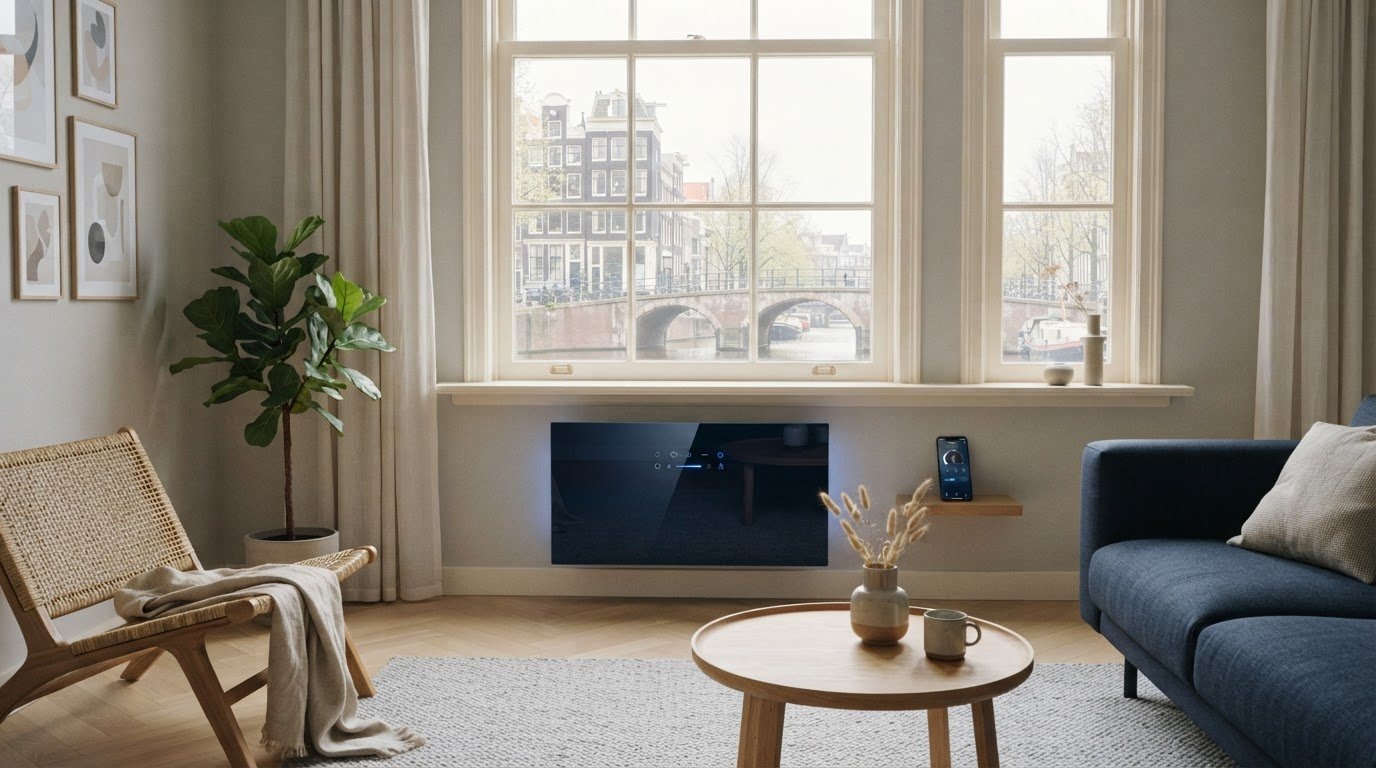
You often choose a glass front for its appearance, but the touch display also determines how pleasant the convector is to use on a daily basis. With a glass electric convector with a touch display, it is therefore smart to look beyond the design. Which settings do you control on the screen, and what do you regulate via the thermostat or Wi-Fi?
Those functions are not the same. A display may be intended for operation on the device, whereas a thermostat regulates the temperature and enables Wi-Fi control via an app. The available functions vary by model. Also consider the glass front: does the design match your interior, and are the dimensions and product specifications suitable for the room you want to heat?
In this article, you will read what to look for when making your choice. You will see how to weigh heating comfort, power, and operation, the role smart features play, and how to tailor the convector to your daily routine. This allows you to compare practical features and design based on product information. BEHA’s experience of over 100 years in electric heating provides a trusted background.
Key Points
- A glass electric convector with a touch display combines heating with a calm design, but the screen functions vary by unit.
- Distinguish between operation on the display, temperature control via the thermostat, and remote control via Wi-Fi and an app.
- Compare touch controls, buttons, and app controls based on daily convenience, overview, and the need for remote control.
- First, determine which room you want to heat and what role the convector will play there. Then, use power and dimensions to compare units.
- Take the glass front and controls into account, but also base your choice on the specific product specifications and your daily routine.
What makes a glass electric convector with a touch display different?
A glass electric convector with a touch display is an electric heater in which a heating element warms the air, a glass front forms the exterior, and a touchscreen enables operation of the unit. Each component has its own function: the convector heats, the front contributes to the appearance, and the display offers a way to operate the unit on-site.
The glass front gives the heater a calm, sleek appearance that can suit various interiors. That is a design choice, not a specific heating method. The heat output depends on the operation and product specifications of the convector, not just on the material of the front. Therefore, compare the device's specifications in addition to the appearance.
How does an electric convector heat the room?
With convection heating, air flows past a heating element. The heated air rises, and cooler air moves down to take its place. This creates air circulation that helps spread the heat throughout the room. Read more about what a convector heater is and how convection currents work.
This differs from heating that primarily radiates heat from a warm surface. In a convector, the movement of air is the basis of heat transfer. The front itself can become warm, but the glass appearance alone does not reveal how much radiant heat it emits, how quickly a room heats up, or how much energy the device consumes. For that, the product specifications and the conditions in the room are important.
What does a touch display add to the controls?
A touchscreen provides a control point on the unit itself. You can see where to enter settings and do not have to search for separate buttons. This can be convenient if you want to operate the convector on-site. The available settings vary by product. Therefore, check the product information to see which functions the display supports.
Distinguish between three modes of control. Local control takes place on the device, for example via a display or buttons. Wi-Fi provides the wireless connection to a network. App control is control via an application on your phone and requires a suitable connection and support for smart devices. These functions can coexist, but a touch display in itself does not mean that you can control the device via Wi-Fi or an app.
BEHA offers smart convectors with a glass front and control via Wi-Fi and an app. This is a different feature from local control via a touch display. Compare the on-device controls and the digital capabilities separately for each product. This way, you can evaluate the glass front for design and the display for practical use, without confusing the functions.
Which functions of the touch display are useful in daily use?
A display is particularly useful when you need to quickly find a setting you use frequently. When comparing, pay attention to three things: setting the temperature, selecting any programs, and viewing the device's status. Which functions are available depends on the model. The term 'touch display' in itself says nothing about the capabilities or the layout of the menu.
Use this overview as a guide for product information. It describes possible functions, not fixed features, of every glass electric convector with touch display:
- Setting temperature: if this function is available via the display, you can adjust the desired setting directly on the device.
- Selecting programs: some appliances offer program settings. These can be useful if you want to regulate the heating according to a fixed usage pattern. Check whether the function is available for the selected appliance.
- Check status: a screen can display information about operation. Check what data the display shows and whether you can read it at a glance.
Which settings do you want to adjust directly on the device?
Consider what you want to adjust most often in practice. If you mainly want to change the temperature on the spot, it is convenient when that setting is immediately accessible and clearly recognizable. If you use programs, consider how you select and modify them. A well-organized screen can make operation more understandable for everyone in the house. A complicated menu adds little value if you constantly have to search.
Review the product information and, where available, the operating instructions. Pay attention to the menu structure and the number of steps required for the settings you use frequently. This allows you to assess not only which functions are listed, but also how easy it is to find them in daily use.
How do touch controls, thermostat, and Wi-Fi relate to each other?
The thermostat regulates the temperature. A display can be the interface used to enter settings or read information. Wi-Fi is something different: it is the connection that allows a compatible device to support digital control. Therefore, a touchscreen does not automatically mean that you can control the convector via an app. BEHA offers smart convectors with a glass front and control via Wi-Fi and an app. Read more in the guide on electric convectors with Wi-Fi.
Evaluate the functions individually: what do you control on the device, what does the thermostat do, and what options does the app offer? Always follow the product instructions for installation and use. This allows you to weigh the controls against the practical considerations for your space.
Touch display or simple operation: how do you compare the options?
More control options are not automatically better. The right choice depends on how you use the convector. Do you usually adjust settings while standing nearby, or do you want to be able to do so remotely as well? Compare not only the number of functions, but especially how easy it is to find the setting you need.
| Type of operation | Right at the device | remote control | What do you look out for? |
|---|---|---|---|
| Touch display | Yes, via the screen on the convector | Not by the display alone | Are the information and menus clear? |
| Buttons | Yes, via physical controls on the device | Not by the buttons alone | Are the most important settings easy to find? |
| App | Via your phone, in addition to any controls on the device | It is possible, if the device and the connection support this | What features does the app offer and what connection is required? |
The table describes common differences between control types, not fixed features of each device. The product information indicates which functions are available. For a glass electric convector with a touch display, the screen is particularly relevant if you prefer to read or change settings directly on the device. An app can be an added benefit if remote control fits your routine.
When is operating on the device convenient?
Local controls come in handy when you are at home and want to adjust the temperature immediately. When using a display, compare readability and the route to frequently used settings. For buttons, check if the controls are easy to understand without complicated menus. Which form works better varies from user to user. Read the product instructions to know how the controls work and what guidelines apply for safe use.
When is control via Wi-Fi or an app relevant?
Remote control can be practical if you want to adjust a setting before you are in the room. The added value lies in that concrete routine, not in the presence of an app itself. The product information describes which functions the app supports per device and which connection is required for this. You can find more background information under electric convectors with Wi-Fi.
Choose touch control if direct access and a screen add value for you. Choose app control when you actually start using the remote capabilities. View the smart convectors with glass fronts and compare the control options with your daily habits.

This is how you choose a glass electric convector for your space
Don't start with the screen or the color, but with the room you want to heat. A convector for supplementary heating in a home office may serve a different role than a device intended to keep a room without other heating comfortable. First, determine how you intend to use the device. Then compare power output, size, front panel, and controls.
What information about the room are you taking with you?
Note where the convector will be placed and how you use that location. A room where you work for extended periods daily requires a different usage routine than a space you only heat occasionally. Also take into account the layout, insulation, and existing heating. These factors influence how a room retains and distributes heat. Therefore, surface area alone does not provide a complete picture.
Use this checklist to narrow down your choice step by step:
- Determine the role. Are you looking for supplementary heat at certain times, or will the convector become the primary heating source for the room?
- Describe the situation. Note the use of the room, the layout, the insulation, and any other heating.
- Compare the product specifications. Check the power and stated suitability of the device. Match these data to your room and usage, not to a general rule of thumb.
- Check the size. Compare the dimensions with the intended location and take into account the product's installation instructions.
- Choose the look and operation. Determine whether the glass front suits your interior and whether you will frequently use the controls on the device.
Use the product specifications as a starting point for the capacity. Without information about the device and the conditions in the room, a definitive statement regarding the required power is unreliable.
How do you evaluate the front, size, and operation together?
A glass front can suit an interior where you desire a calm, sleek look. Do not just consider the material, but also the proportions. Does the appliance fit in the desired location without disrupting the decor? Check the dimensions and follow the installation instructions. This will prevent a beautiful design from proving impractical in practice.
Next, weigh the touch display against your routine. If you want to adjust settings regularly on the spot, controls on the device can be convenient. If you mainly use fixed settings, an extensive screen might be less important. Therefore, you choose a glass electric convector with a touch display not just for the front or the technology, but for the combination that suits your space and daily use.
Would you like to compare a different look? Also check out the guide on electric heaters with a steel front. Then take a look at the glass convectors from BEHA and compare the product specifications with your checklist.
BEHA glass convectors: make your choice based on comfort and design
A glass front combines a calm, modern look with the heating function of an electric convector. This makes this category interesting if you want to combine design with digital control. The functions vary by unit. Therefore, base your choice on the product information and not just on the name.
BEHA has over 100 years of experience in electric heating. That history provides context, but your choice starts with practical questions: which room do you want to heat, what role will the convector play, and which controls suit your daily habits? Next, compare the relevant product specifications, such as dimensions, power output, and available thermostat and app functions. This way, you weigh comfort against design based on what the device actually offers.
What makes the glass front a design choice?
The front is a visible part of the convector and partly determines how the unit looks in the room. Glass can suit a sleek or minimalist interior. The final choice depends on your decor and the location where the convector will be installed. Therefore, also consider the dimensions and placement options. Do not rely on features such as scratch resistance or ease of maintenance if they are not listed in the product information.
A glass front and a paintable front are different finishes. With a glass version, the glass remains part of the visible design. A paintable front is intended to be matched to the interior with paint. If you want to compare these options, read the guide on the paintable radiator.
How do you finalize your choice for a convector?
Make your decision in four steps: first determine the space and usage, then compare the capacity and dimensions with the product specifications, choose a front that matches your interior, and finally evaluate the operation. A glass electric convector with a touch display is only a suitable choice if both the screen and the other functions align with your daily needs. Touch control, thermostat control, and operation via Wi-Fi or an app are separate options. Compare which functions are available for each unit.
BEHA’s experience and range of smart convectors with glass fronts form a starting point for that comparison. The product details then help you choose the model that suits your space and usage. Discover electric heating from BEHA.
Choose heating that suits your space
You don't choose a glass electric convector with a touch display just for its sleek front. Start with the room and the role of the heater. Then compare the power output and dimensions with the product specifications. This way, you tailor the unit to your home situation, rather than relying on general assumptions.
Also distinguish between the touch display, the thermostat, and control via Wi-Fi or an app. The screen does not automatically determine which smart functions are available. Check for each device which settings you can adjust directly and which options are associated with digital control. This way, you can see if the control aligns with your daily routine.
BEHA has over 100 years of experience with electric heating and offers smart convectors with glass fronts and Wi-Fi and app control. The brand is part of the Norwegian family business Beha Fabrikker AS, founded in 1917. That experience forms a solid foundation. Your choice starts with the room, the design, and specific product information.
View the options and compare which model suits your needs. Discover electric heating from BEHA and choose the convector that matches your space and usage.
Frequently Asked Questions
Is a glass electric convector with a touch display suitable as primary heating?
That depends on the room's heat requirement, the insulation, and the capacity of the chosen unit. The touch display does not indicate the amount of heat the convector delivers. Compare the capacity and the stated suitability in the product information with the room you wish to heat. Also consider how the convector interacts with any other heating. Only consider the unit as primary heating if the capacity suits your situation.
What is the difference between a touch display and Wi-Fi control?
A touch display is the control on the device itself. Wi-Fi enables connection to a network. With a suitable device, that connection can support control via an app. These are different functions that can coexist. A display does not automatically mean that you can control the device remotely. Check which functions are available for each product and consider which ones you actually use, for example, adjusting settings on the device or via an app.
Can you operate an electric convector with a touch display without an app?
That varies by device. A touch display can enable local control, but the settings you can adjust on it depend on the product. Check the product information and operating instructions to see which functions are available directly on the convector. This way, you will know whether you can set the desired temperature on the device, for example, without assuming that every display has the same capabilities. Choose a control system that suits how you intend to use the convector.
Does a glass electric convector with a touch display consume less power?
No, a touch display in itself does not reduce power consumption. This depends, among other things, on the heating needs, the set temperature, the duration of use, and the characteristics of the room. A thermostat or program can help tailor the heating to your routine, provided the chosen device supports these functions. Therefore, compare the product specifications and pay attention to how you use the convector. The glass front or the type of control is not, in itself, an indication of consumption.
How do you choose the right power output for a glass convector?
Match the output to the room, insulation, and the role of the convector within your heating system. A supplementary heating unit may have a different function than a convector that is the primary heat source. Compare the size and conditions of the room with the output and suitability stated in the product information. There is no fixed rule of thumb that applies to every home. A display function says nothing about the heating capacity.
Is a glass electric convector easy to operate?
That depends on the layout of the display and the functions of the device. A clear interface can make frequently used settings directly accessible. Wi-Fi and an app can support remote control if the model offers those features. Consider which actions you perform often and check if you can easily find them in the product information or operating instructions. This way, you assess ease of use based on your routine, not just the presence of a touchscreen.